A Release Order (RO) is the authorization that lets bonded stock leave the warehouse. When a client's stock is pledged against a Bond, the plain Outward flow is blocked for the bonded portion — Staff cannot deliver more than the free (unbonded) bags without an RO. The RO records how many bags the bank has authorized for release, carries the evidence of that instruction, and is consumed bag-by-bag as outwards happen until it is exhausted.
Release Orders is an optional feature. When it isn't enabled, the Release Orders tab is replaced by an upgrade pitch.
Step 1 — Open the Release Orders tab on the parent Bond
ROs are always raised against a specific Bond. From the top navigation, Billing → Release Orders lists recent ROs across all bonds for reference, but you cannot create one there. To create, open the parent Bond detail page and switch to its Release Orders tab.

Step 2 — Create the Release Order
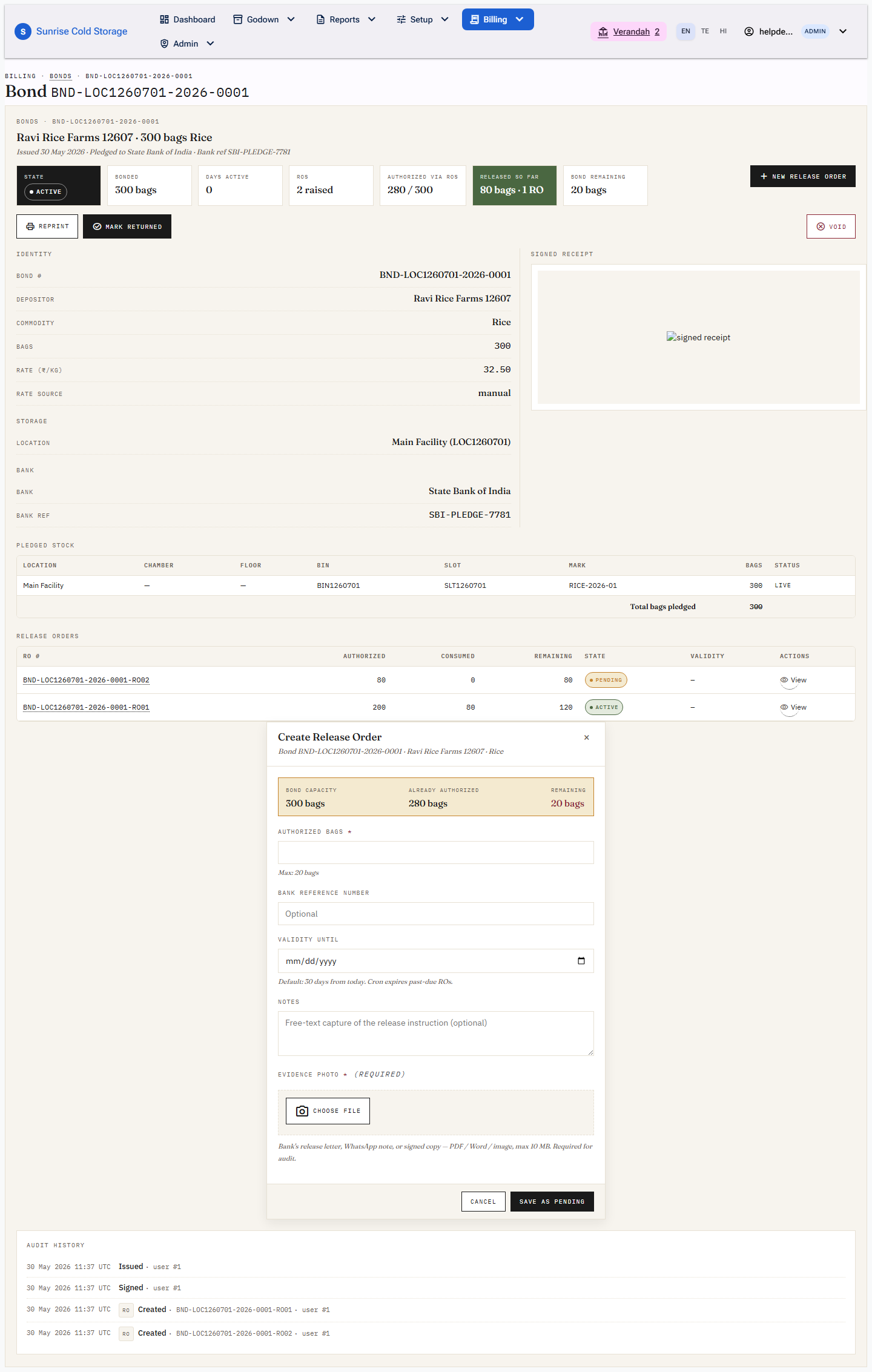
Press Create Release Order. The modal shows a capacity banner — Bond capacity, Already authorized (summed across this bond's other live ROs), and Remaining — so you can never authorize more than the bond can still cover. Fill in:
- Authorized bags (required) — capped at the remaining figure. Authorizing more than the bond's remaining capacity is rejected (
Authorizing N would exceed bond capacity). - Bank reference number (optional) — the bank's release-letter reference.
- Validity until (optional) — pre-filled to the tenant default number of days from today. After this date the nightly cron expires the RO.
- Evidence photo (required) — the bank's release letter, WhatsApp note, or signed copy. PDF / Word / image, max 10 MB. The RO will not save without it.
The RO number is assigned automatically as <bond-number>-RO<NN> (a 2-digit per-bond, per-year counter — e.g. BND-…-2026-0025-RO01).
Step 3 — Approval (two-step tenants)
What happens on save depends on the tenant's approval mode:
- Admin-only mode — the RO is created directly as Active and is immediately usable (button reads Create & Activate).
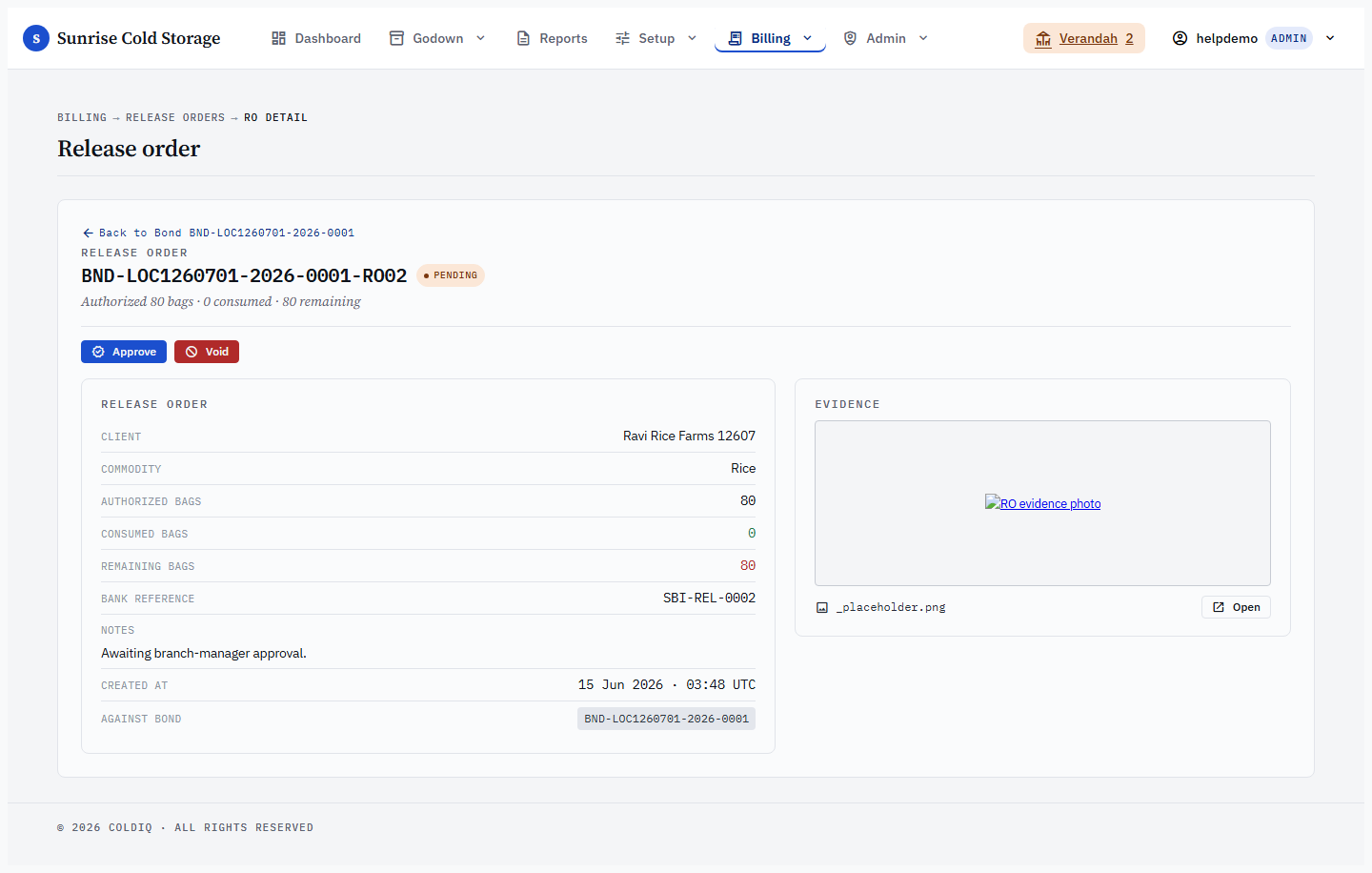
- Two-step mode — the RO is created as Pending (button reads Save as Pending) and an Admin must approve it before it can be used. A Pending RO cannot satisfy an outward.
The state pill on the RO row reads one of: Pending, Active, Consumed, Expired, Voided.
Step 4 — Deliver outward against the RO
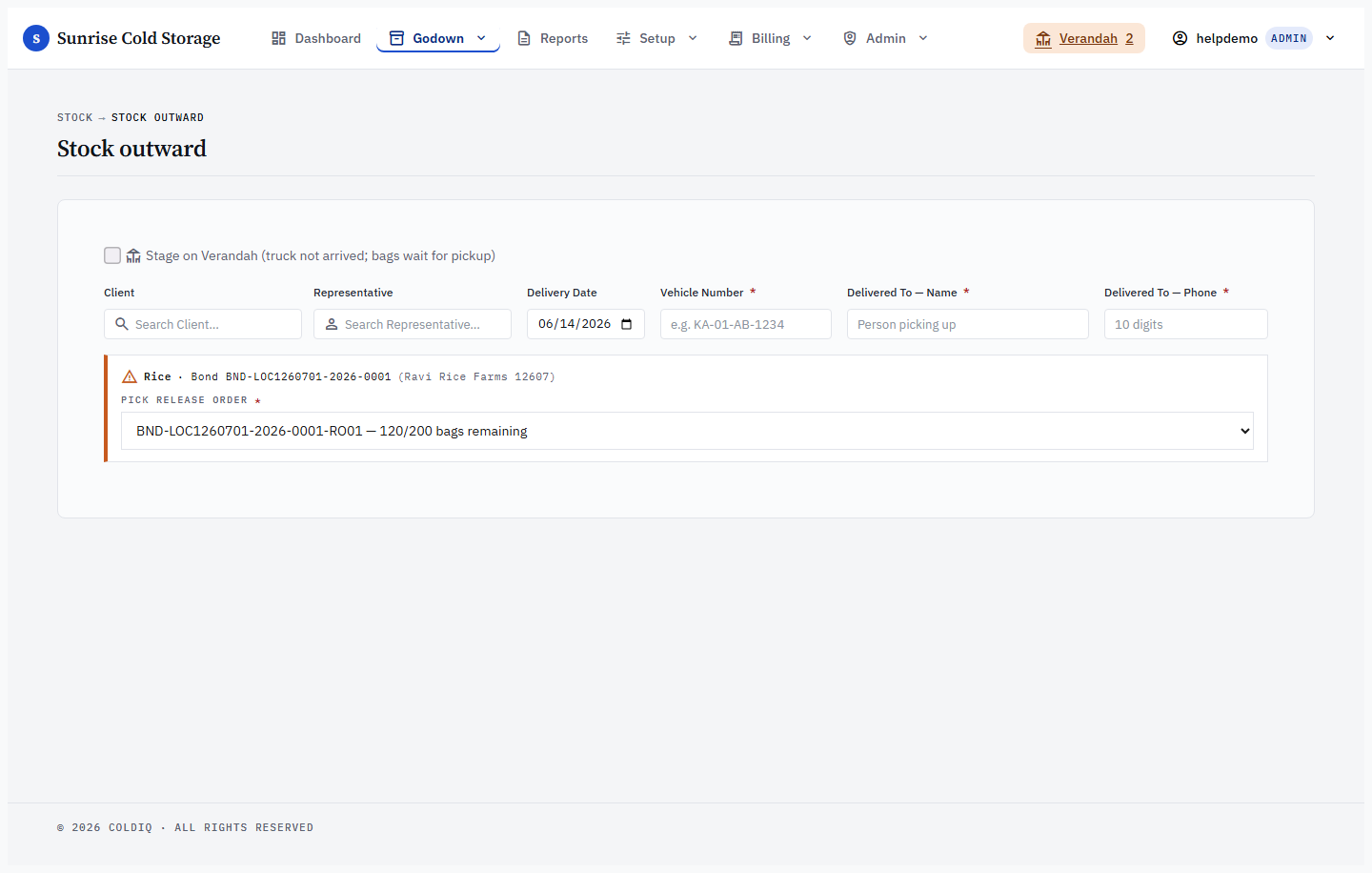
Run a normal Stock Outward (selection delivery) for the client + commodity. When the requested bags exceed the free (unbonded) bags, the outward page requires you to pick an Active RO to cover the shortfall. The system FIFO-picks the oldest live bonded lots and stamps each outward item with the RO id.
- Only the bonded shortfall is charged against the RO — a mix of free + bonded bags consumes the RO by the bonded portion only.
- With FIFO auto-consume enabled (an optional feature), the oldest Active RO with capacity is selected automatically; you don't pick one.
Step 5 — Consumption, fulfilment, and bond release
Each delivery increments the RO's Consumed count (visible on the Release Orders list and on the Bond detail). Partial consumption is normal — the RO stays Active with bags remaining. When consumed reaches the authorized total the RO's pill flips to Consumed. When all of a bond's authorized bags are consumed, the parent Bond auto-transitions to Released.

Step 6 — Voiding a mis-issued RO
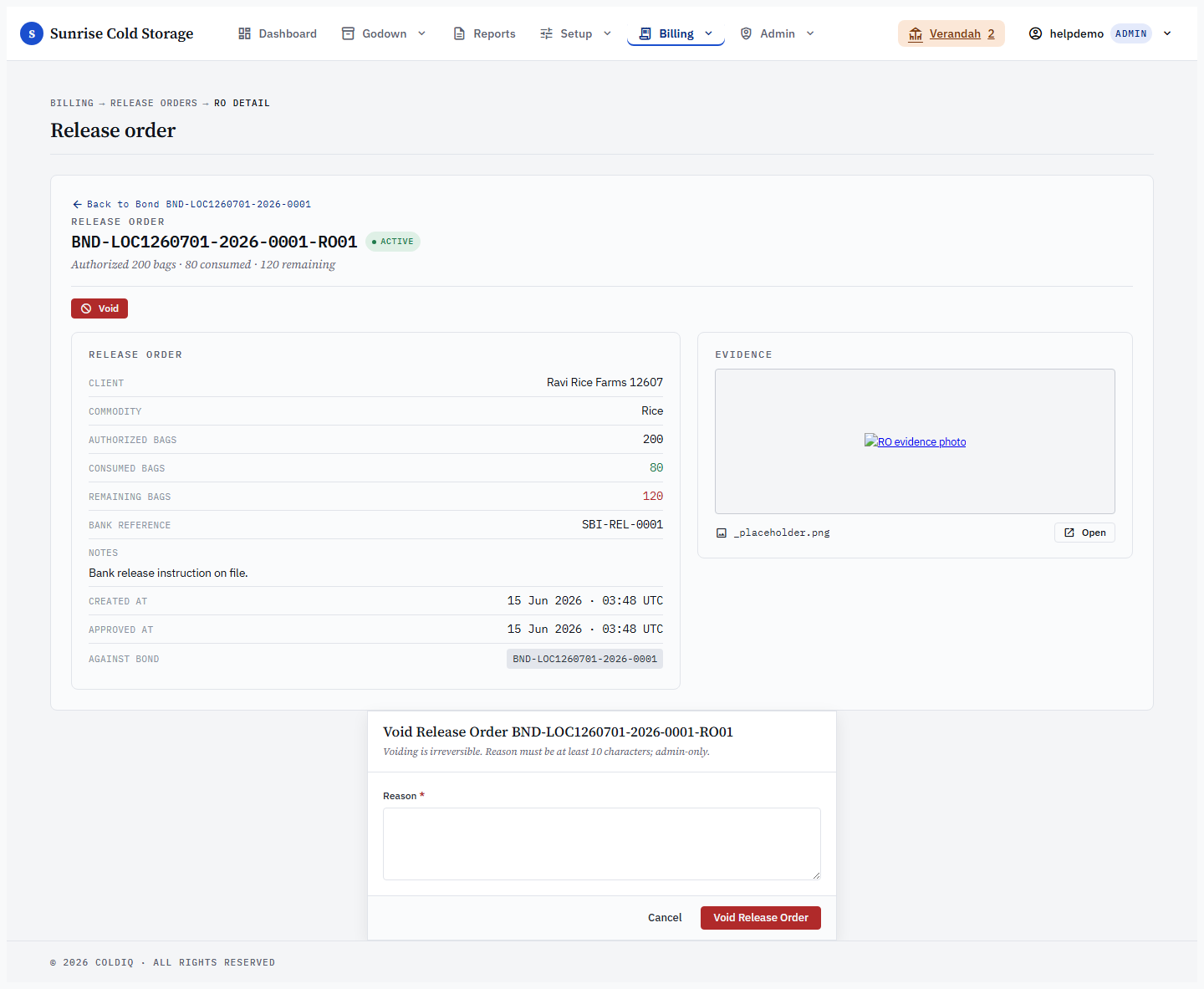
If an RO was raised in error, an Admin can Void it from the RO detail page (allowed only while Pending or Active). A reason of at least 10 characters is required. Voiding a Bond, or marking it returned, cascade-voids its open (Pending/Active) ROs automatically; already-Consumed ROs are left intact because they represent real released stock.
If this breaks
- Outward blocked — "needs a Release Order" — the request exceeds free bags and no Active RO was selected. Create or approve an RO covering the shortfall, then retry.
- "Authorizing N would exceed bond capacity" — the bags you entered plus other live ROs overshoot the bond's bag count. Lower the figure to the Remaining shown in the cap banner.
- RO won't cover the outward (remaining / over-consume 409) — the RO has fewer bags left than the shortfall. Raise a second RO or split the delivery.
- Expired RO rejected — the RO's validity date has passed (even if the nightly cron hasn't flipped the pill to Expired yet). An RO whose validity is today is still valid; it expires only once the date is in the past. Raise a fresh RO.
- Pending RO rejected — a two-step RO hasn't been approved yet. An Admin must approve it before it can be used.
- RO not accepted — wrong bond — the RO belongs to a different bond/commodity than the stock being delivered. Pick the RO raised against this client + commodity's bond.
Related
See also: Bonds, Stock Outward, Stock Inward.