Stock Outward is the flow for dispatching goods that are leaving the warehouse. Staff picks the client, records who is collecting and on which vehicle, then selects the exact stock rows and bag counts to release. On submit the system writes one delivery receipt, draws the bags out of their source slots, and auto-bills the outward against the client's rate card. Bonded stock cannot leave without a valid Release Order.
Step 1 — Open the Outward page
From the top navigation, choose Stock → Outward Stock. The page loads with the delivery form: client picker, delivery date (defaults to today), and the delivered-to fields up top, with the client's current stock appearing below once a client is chosen.

Step 2 — Pick the client and record the handoff
Pick the client (and representative, if used) from the typeahead. Three fields are mandatory before goods can ship — they pin accountability for the dispatch:
- Vehicle Number — auto-uppercased and stripped of spaces (e.g.
KA-01-AB-1234). - Delivered To — Name — the person physically collecting.
- Delivered To — Phone — their contact number.
Leaving any of the three blank blocks the submit with "Vehicle Number, Delivered To — Name and Delivered To — Phone are all required."
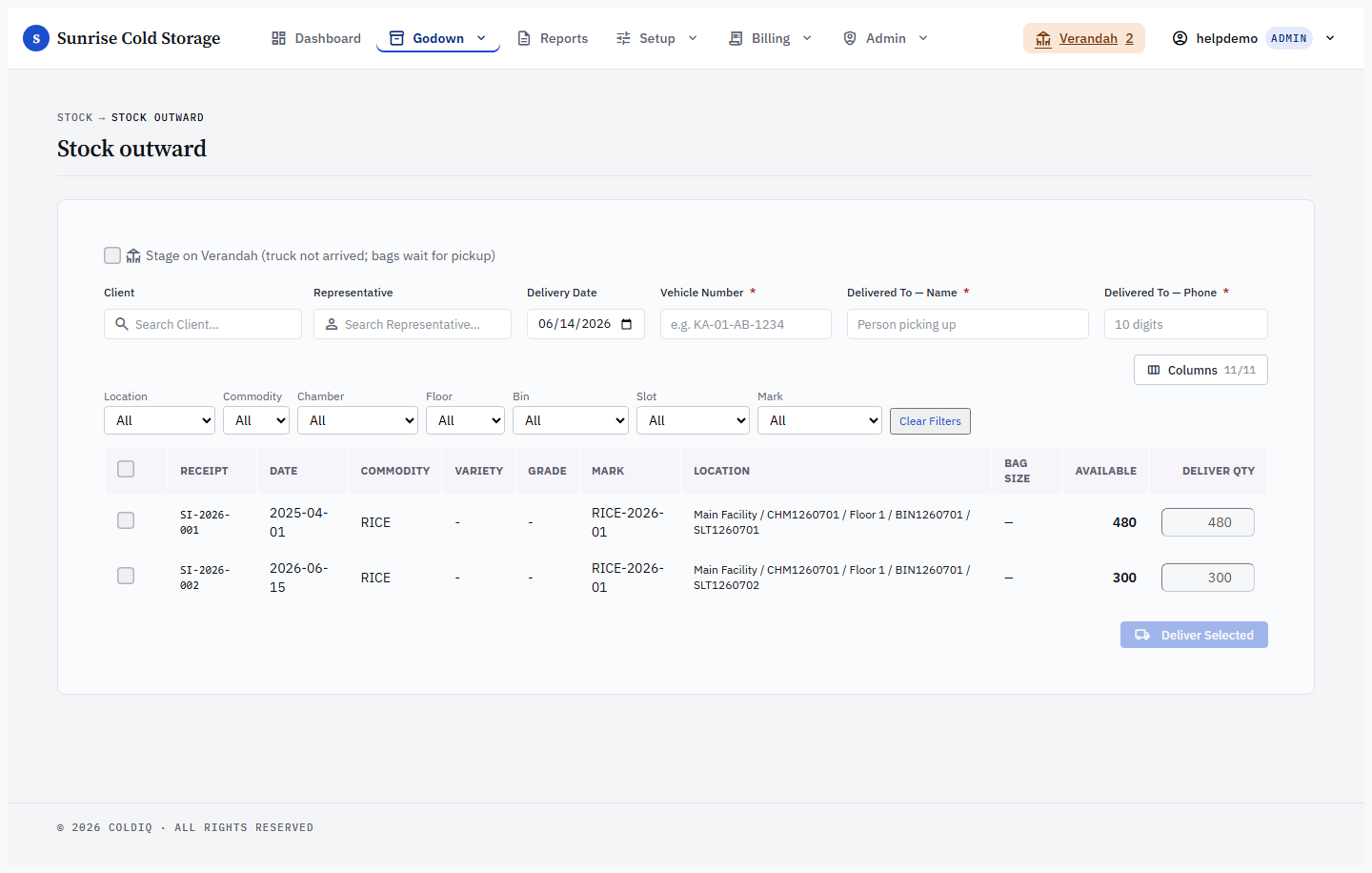
Step 3 — Select the stock rows and bags to release
Choosing a client loads that client's live inventory as a table — one row per source acceptance lot, each showing the bags still remaining at that lot. Tick the rows you are releasing and type the bag count for each. You can deliver partially: enter fewer bags than remain and the lot stays open with the balance.
Quantity is checked against what is actually left in each lot. Asking for more than remains is rejected with "Requested N exceeds remaining M for acceptance …", and a lot with nothing left raises "No remaining stock for acceptance …".
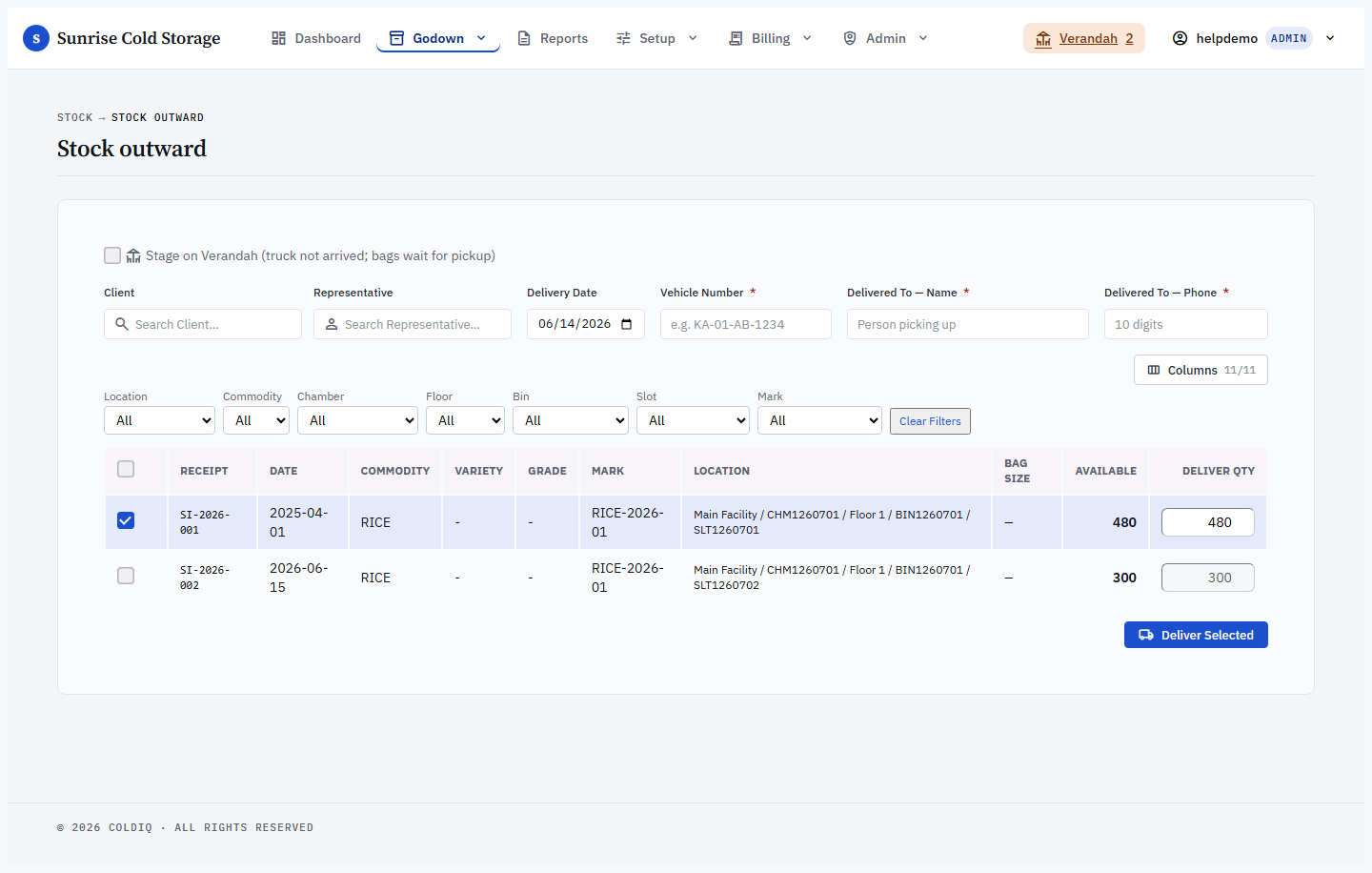
Step 4 — Submit the delivery
Press the deliver button. The system writes one outward receipt covering every selected row, decrements each source slot, and immediately runs auto-billing against the client's rate card. On success you see the receipt number, the item and bag totals, and — when a card matched — the generated bill number (and a Handling Charges receipt link if a handling rate card applied).
If no rate card matches, the delivery still completes and is recorded; you get a "configure a rate card" warning instead of a bill, and re-bill the receipt later once a card exists.
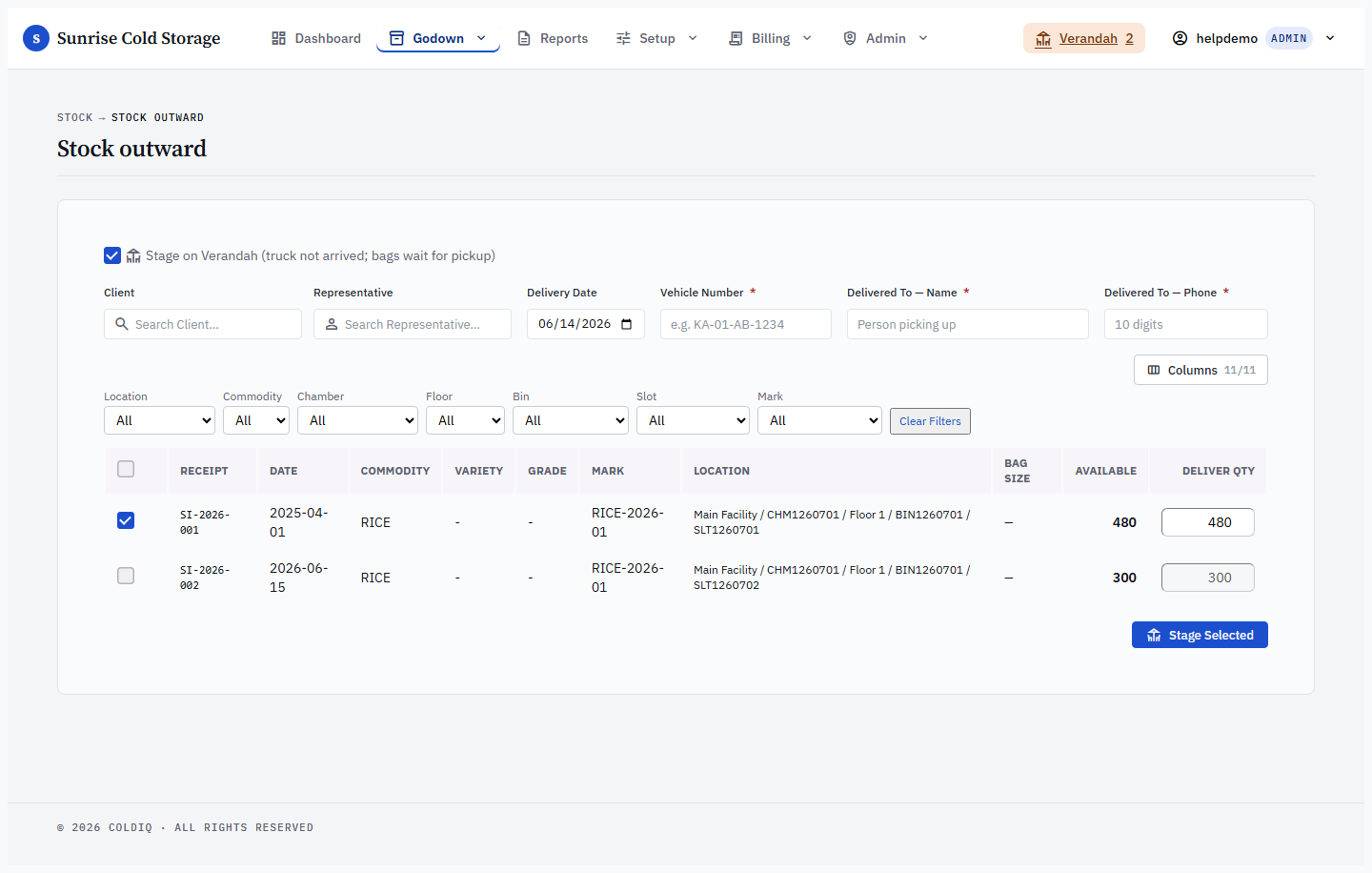
Step 5 — Stage on Verandah (truck not yet arrived)
If the goods are committed to leave but the truck has not come, tick "Stage on Verandah (truck not arrived; bags wait for pickup)" before submitting. This opens an outward hold per row — the bags stay held in their source slot (the slot is not vacated and capacity is not freed yet, and no delivery is recorded) until a Manager approves & bills the pickup from the Verandah pill in the top bar. Only on approval is the source slot decremented and the delivery written — recorded with the client, commodity, bags and delivery date, but note that the Verandah approval step does not capture vehicle or delivered-to details. If those must be on the delivery record, deliver directly here instead of staging. See Verandah for the full review-and-approve flow.

If this breaks
- "Release Order is required" / net-stock chip turns red — the bags being released come from a bonded lot, and the request exceeds the free (unbonded) portion. Pick the covering Release Order in the chip that appears and resubmit. There is no admin override — bonded stock cannot ship without a valid, active, non-expired RO. See Release Orders.
- "Release Order validity has expired" — the chosen RO is past its validity date. Issue or pick a current RO against the same bond.
- "Release Order has N bags remaining, need M" — the RO is partly consumed and can't cover this draw. Split the delivery or use an RO with enough authorised bags left.
- "Release Order does not cover this bond's stock" — the RO belongs to a different bond. Pick the RO tied to this client + commodity's active bond.
- "Requested N exceeds remaining M for acceptance …" — you asked for more bags than the lot holds. Re-check View Records and lower the quantity.
- "Vehicle Number, Delivered To — Name and Delivered To — Phone are all required." — fill all three handoff fields (not required on the Verandah-staging path, which captures them at approval).
Related
See also: Stock Inward, Verandah, Release Orders, Bonds.